
 All vikis
 Aion 2
 Ananta
 ARC Raiders
 ArcheAge Chronicles
 Call of Duty: Modern Warfare 4
 Chrono Odyssey
 Civilization 3
 Civilization 4
 Crimson Desert
 Deadlock
 Diablo 4
 Diablo 5
 Enshrouded
 Fable
Fable Final Fantasy Resonance
 Grand Theft Auto 6
 Heroes of Might and Magic 3
 Heroes of Might and Magic: Olden Era
 Kingdom Come: Deliverance 2
 Path of Exile 2
 Phantom Blade Zero
 Probably Stolen
 Slay the Spire 2
 Soulframe
Army Painter
Dawn of War 4's Army Painter lets you change your units' colors, decals and war gear, from dozens of presets or piece by piece, and share your designs. It works in every part of the game except the campaign.
Dawn of War 4's Army Painter changes your units' armor and equipment, from colors and decals to war gear, and you can field your own scheme everywhere except the campaign. KING Art will ship hand-crafted schemes for the most popular Space Marine Chapters at launch on Dec 3, 2026, and gives players the same tools to build and share designs. KING Art's promised in-depth look has not appeared as of Oct 31, 2026. The clip is the Oct 2026 Game Overview Trailer.
Quick facts
| Official names | Army Painter, Painter tool, Painter system |
| Changes | Armor and equipment: colors, decals, war gear |
| Starting points | Dozens of presets, or your own scheme piece by piece |
| Chapter schemes | Hand-crafted for the most popular Chapters at launch |
| Sharing | Yes, with the community |
| Not usable in | The campaign |
Sources: KING Art's overview post, Oct 21, 2026; Deep Silver's press release, Oct 21, 2026; Space Marine deep dive, Oct 8, 2026.
What you can change
Deep Silver describes dozens of presets, or your own schemes built piece by piece, covering colors, decals and war gear. The tool appeared in KING Art's feature post of Nov 2025 as a way to add finishing touches to your units; by Oct 2026 KING Art was calling it the "enhanced Painter tool". The clip is GameRiot's Oct 28, 2026 look at the pre-release Painter, which also shows Ork and Adeptus Mechanicus units later on.
Creative Director Jan Theysen sets a high bar: "there is probably no other painter out there that offers more options". That is his claim before launch, and it cannot be compared until the game is out. The clip is KING Art's trailer on the Advanced Painter.
Custom Chapters
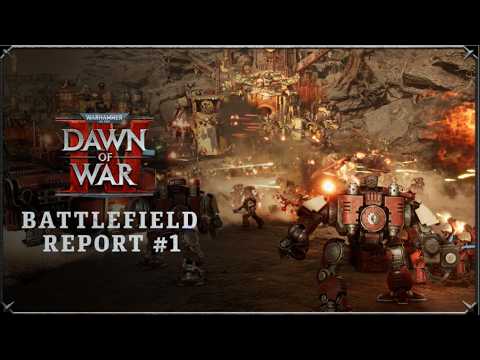
KING Art's pitch is aimed at people whose favorite Chapter is not one of the game's two playable ones. With hundreds of Chapters to choose from, it picked the Blood Ravens and Dark Angels for the story, then added Chapter schemes and tools so that you can field your favorite across the game. So a custom Chapter here means a look: nothing published says it adds rules, units or Commanders. The clip is KING Art's Jul 2026 Battlefield Report.
The hand-crafted schemes are promised for "the most popular Space Marine Chapters"; which ones is not published. GameRiot's pre-release menu in the clip shows Ultramarines, White Scars, Imperial Fists and Blood Angels schemes.
Where it works
KING Art says all areas of the game with the exception of the campaign. That leaves Multiplayer, Skirmish and Last Stand at launch, the three the Game Overview Trailer names, and by the same wording Crusade Mode when it arrives in 2027.
What is coming
In the Jul 24, 2026 AMA, Senior Game Designer Elliott Verbiest said more news would come, and KING Art listed Army Painter among features for future sessions. The tool also features in the nearly 9-minute Game Overview Trailer of Oct 21, 2026.
Not known as of Oct 31, 2026
- Whether the factions other than Space Marines get the same presets and depth of options
- How sharing works (Steam Workshop, codes or an in-game browser)
- Whether "war gear" in the Painter is only cosmetic, or how it relates to the Wargear you pick in a match
- Whether opponents see your scheme in multiplayer
- Whether any schemes or decals are sold separately
Frequently asked questions
Does Dawn of War 4 have an army painter? Yes. The Army Painter lets you change your units' colors, decals and war gear, starting from dozens of presets or building your own scheme piece by piece.
Can you make a custom Chapter in Dawn of War 4? You can paint one: KING Art says its hand-crafted Chapter schemes use the same tools players get, and you can field your favorite Chapter's look in every area but the campaign. Nothing published says a custom Chapter adds rules or units.
Can you use the Army Painter in the Dawn of War 4 campaign? No. KING Art says your scheme works across all areas of the game with the exception of the campaign.
Can you share Army Painter designs in Dawn of War 4? Yes, KING Art says you can build and share designs with the community. How sharing works is not published as of Oct 31, 2026.
Sources
- Official Game Overview Trailer, KING Art Games on Steam, Oct 21, 2026
- Game Overview Trailer, Previews & Closed Beta, KING Art Games on Steam, Oct 23, 2026
- Faction Deep Dive - Space Marines, KING Art Games on Steam, Oct 8, 2026
- AMA Developer Blog - Multiplayer, KING Art Games on Steam, Jul 24, 2026
- What we're building with Warhammer 40,000: Dawn of War IV, KING Art Games on Steam, Nov 14, 2025
- New Trailer: Dawn of War IV Deploys Massive Game Overview, Deep Silver on GamesPress, Oct 21, 2026
- Warhammer 40,000: Dawn of War IV - Official Game Overview Trailer, Dawn of War IV, Oct 21, 2026 (video)
- Warhammer 40K Dawn of War 4 - First Look at Painter (Customization), GameRiot, Oct 28, 2026 (video)
- Warhammer 40,000: Dawn of War IV Battlefield Report - Space Marines vs Orks, Dawn of War IV, Jul 1, 2026 (video)
Moments
Warhammer 40,000: Dawn of War IV - Official Game Overview Trailer
Dawn of War IV
Warhammer 40K Dawn of War 4 - First Look at Painter (Customization)
GameRiot
Warhammer 40,000: Dawn of War IV Battlefield Report - Space Marines vs Orks
Dawn of War IV
Related
-
 Base BuildingYes, Dawn of War 4 has base building, and KING Art calls the system very similar to the first game's. Buildings unlock units and research, and each of the four factions builds in its own way.
-
-
- Mods and ModdingFull mod support for Dawn of War 4 is not confirmed as of Oct 31, 2026. Jan Theysen said in Aug 2025 that the team intends to give creators modding tools, a free Mission Editor is on the 2027 roadmap, and Steam lists no Workshop.
-
 Resources and TerritoryDawn of War 4's two main resources are Requisition and Power, and you earn them by capturing, holding and upgrading points on the map. Orks add Waaagh! and Necrons add Dominion; no income numbers are published yet.
-
StratagemsStratagems are Dawn of War 4's unlockable battlefield abilities, such as the Space Marines' Orbital Strike and the Necrons' Translocation Science. Every faction has a powerful one whichever Commander you pick, and no complete list is published yet.
-
Adeptus Mechanicus CampaignDawn of War 4's Adeptus Mechanicus campaign centers on an expedition into a Necron tomb on Kronus and a choice between siding with Magos Dominus Nulpherus-1 as Marshal Sek-Ix-23 or breaking ranks with the Technoarcheologist Potentia Delta-9. It was in the Oct 2026 preview build in full; its mission count is unpublished.
-
See also
-
-
-
MultiplayerDawn of War 4 launches with 1v1, 2v2 and 3v3 online multiplayer on 30 maps and three game types, with Quick Match defaulting to Annihilation. Ranked play, crossplay and final balance are not confirmed as of Oct 31, 2026.
-
SkirmishSkirmish is Dawn of War 4's custom battle mode against AI, with dozens of settings, four game types and up to five AI opponents, and you can team up with a friend. Whether it works without an internet connection is not stated.
-
Last StandLast Stand is Dawn of War 4's three-player co-op horde mode, where you pick one of five heroes, build a Strikeforce and survive deadlier waves. It returns from Dawn of War 2 and is in the launch game; KING Art's closer look is still to come.
-
 Crusade ModeCrusade Mode is Dawn of War 4's replayable endless campaign on a turn-based map of Kronus, and it arrives as a free update in 2027, not in the launch build. KING Art says a typical Crusade takes eight to ten hours.